Teaching Setup Checklist: Complete Technical Requirements Guide
Review the complete 51Talk teaching setup checklist, including updated technical requirements for devices, internet, webcam, headset, and teaching environment for online classes.
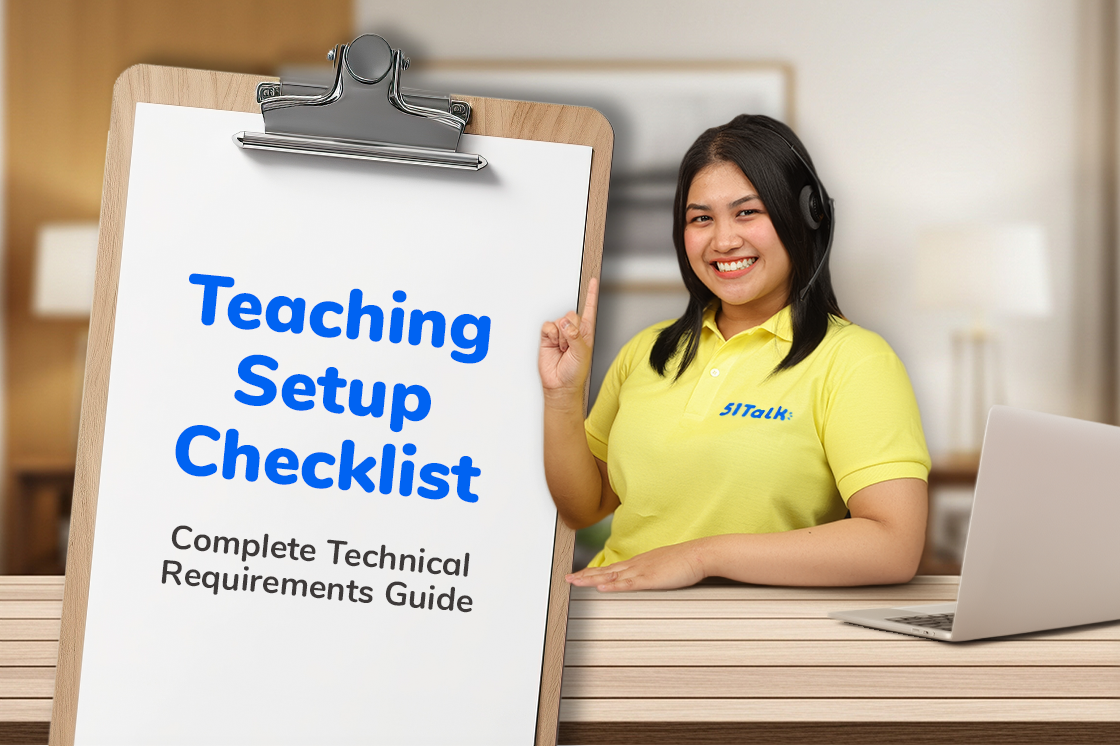
A great online class starts before the lesson begins. Beyond teaching skills and lesson preparation, having the right teaching setup helps create a smoother, clearer, and more professional learning experience for students.
Whether preparing for your first online class or upgrading an existing setup, this complete technical requirements guide outlines everything needed to build a teaching environment that supports consistent and effective online learning. A successful online class begins with a reliable teaching setup.
While teaching skills and lesson delivery play an important role in student success, the quality of your equipment, internet connection, and teaching environment also contribute to a smooth and engaging learning experience. A well-prepared setup helps minimize disruptions, supports clear communication, and allows teachers to focus on what matters most—helping students learn with confidence.
Whether you are preparing for your first online class or enhancing your current workspace, having the right tools in place can make a significant difference in both teaching performance and student experience.
This complete technical requirements guide outlines the essential equipment, connectivity standards, and workspace recommendations needed to create a professional online teaching environment and support consistent, high-quality lessons.
Why Your Teaching Setup Matters
In online teaching, your setup becomes part of the virtual classroom experience and reflects your professionalism as an educator.
Clear audio helps students understand lessons more easily, while a stable internet connection reduces interruptions and keeps classes running smoothly. Proper lighting and a professional teaching background create a focused learning environment that minimizes distractions and supports student engagement.
A reliable and professional setup helps students stay attentive, participate more confidently, and enjoy a smoother learning experience. It also allows teachers to focus on delivering effective lessons, building stronger student connections, and creating a positive impression that supports long-term learning success.
1. Desktop Computer or Laptop: The Foundation of Your Online Teaching Career
Your computer is the core of your online teaching profession. Every lesson, student interaction, and teaching tool depends on the performance and reliability of your device.
A computer that meets the recommended specifications helps ensure smooth lesson delivery, clear communication, and a consistent learning experience for students.
Minimum Device Requirements:
✔ Operating System: Windows 10 or newer
✔ Processor: Intel Core i5 (8th Generation or higher) or AMD Ryzen 5 or higher
✔ Memory: At least 8GB RAM
✔ Storage: Minimum 100GB available storage
Using a reliable and up-to-date computer helps minimize technical disruptions, supports teaching platforms and video conferencing tools, and allows you to focus on delivering engaging, professional lessons that students can depend on.
2. HD Webcam for Effective Student Engagement
In online teaching, facial expressions, gestures, and visual cues play an important role in communication and student engagement. A clear video feed helps students stay focused, understand lessons more effectively, and feel more connected during class.
Webcam Requirements:
✔ External or built-in webcam
✔ Minimum 720p HD resolution
For the best classroom experience, position your camera at eye level, ensure your face is clearly visible, and maintain proper lighting throughout each lesson. A professional video setup helps create a more engaging and interactive learning environment for students.
3. Headset with Microphone for Clear and Professional Communication
In online teaching, your voice is one of your most important tools. Clear audio helps students understand instructions, stay engaged, and participate more confidently throughout the lesson.
Audio Equipment Requirements:
✔ Noise-cancelling headset
✔ Extended microphone for clearer voice capture
A dedicated headset helps reduce background noise, improve voice clarity, and create a more professional lesson experience for students.
Stable Internet Connection for Uninterrupted Lessons
A reliable internet connection is essential for maintaining lesson quality and minimizing disruptions. Stable connectivity helps ensure smooth communication, clear video, and a better learning experience for students.
Internet Requirements:
✔ Minimum 25 Mbps internet speed
✔ Stable broadband connection
Please Note:
✘ Pocket Wi-Fi is not allowed
✘ Mobile hotspots are not allowed
Regularly testing your internet connection can help maintain a consistent and dependable teaching experience.
4. Create a Professional Teaching Environment
Your teaching environment reflects your professionalism and helps students stay focused during lessons.
A clean, organized, and distraction-free space allows students to concentrate on learning while creating a positive first impression.
Environment Requirements:
✔ Quiet and distraction-free teaching area
✔ Plain white background
✔ Bright front-facing lighting
✔ Face clearly visible throughout the lesson
✔ Professional setup suitable for online learning
A well-prepared teaching environment helps support student engagement, strengthens your teaching presence, and contributes to a more effective learning experience.
Quick Teaching Setup Checklist
Before you start teaching, make sure your setup includes:
✔ Desktop Computer or Laptop
- Windows 10 or newer
- Intel Core i5 (8th Generation or higher) or AMD Ryzen 5 or higher
- Minimum 8GB RAM
- At least 100GB available storage
✔ HD Webcam
- 720p resolution or higher
✔ Noise-Cancelling Headset
- Extended microphone for clear voice capture
✔ Stable Internet Connection
- Minimum 25 Mbps broadband connection
- No Pocket Wi-Fi
- No Mobile Hotspots
✔ Professional Teaching Environment
- Plain white background
- Bright front-facing lighting
- Quiet, distraction-free workspace
Final Thoughts
A professional teaching setup is an investment in both your teaching success and your students' learning experience.
With reliable equipment, stable internet, and a well-prepared teaching environment, you can teach with greater confidence, deliver consistent lesson quality, and create lesson experiences that students enjoy and trust.
By building a strong foundation before your first lesson, you'll be better prepared to focus on what matters most—helping students learn, grow, and succeed through every session
Ready to Start Teaching?
Having the right setup is one of the first steps toward creating successful online learning experiences. With reliable equipment, a professional teaching environment, and a commitment to delivering quality lessons, you'll be better prepared to support students and grow your teaching journey.
Explore teaching opportunities with 51Talk and take the next step toward sharing your skills with learners around the world.
https://tinyurl.com/TeacherStory51Talk