How to Create a Strong Self-Introduction Video for Your 51Talk Teacher Journey
Learn how to prepare a clear, confident, and learner-friendly 51Talk self-introduction video with practical tips for setup, equipment, delivery, and review.
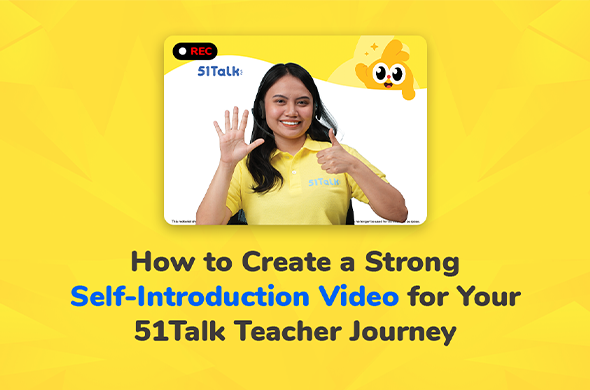
You’ve completed your registration details, and now it’s time for another important part of your 51Talk Teacher Journey: your self-introduction video (SIV).
Your SIV may be short, but it gives you an opportunity to show more than what appears on your profile. It can demonstrate how clearly you communicate, how confidently you present yourself, and how warmly you could connect with learners during online English teaching.
Think of it as a preview of your teacher presence.
A clear voice can help learners follow you more easily. A friendly expression can make an online lesson feel more welcoming. Good lighting and camera framing allow learners to see the facial expressions and visual cues that support communication.
Here’s how to prepare a polished, learner-friendly self-introduction.
1. Complete the Setup Check
Before recording, make sure your environment supports clear and professional communication.
The SIV setup check may assess important elements such as your:
Camera
Microphone
Lighting
Background
Camera framing
Internet connection
Choose a quiet, distraction-free space. Use a plain white background where required, and position your lighting in front of you so your face is clearly visible.
These details are not only about making your video look polished. They reflect the kind of environment that can help learners stay focused during an online lesson.
Clear lighting allows learners to see your expressions and gestures. Clean framing keeps their attention on you. A quiet environment helps them hear instructions and pronunciation more clearly.
If the system identifies an issue, make the necessary adjustment before continuing.
2. Check Your Devices
Next, test the equipment you will use for your recording.
Confirm that your camera, microphone, and speakers are working properly before you begin.
Check that:
Your camera gives a clear image.
Your microphone captures your voice clearly.
Your speakers or headset work properly.
Your internet connection is stable.
For online English teaching, clear communication is essential. Learners need to hear words, sounds, corrections, and instructions accurately, so good audio can make a meaningful difference in the learning experience.
Taking a few moments to check your devices can also help you feel more confident once recording starts.
3. Prepare a Short, Learner-Friendly Introduction
Now decide what you want to say.
If the SIV platform provides a sample script, you may use or customize it. You can also prepare your own introduction based on the current SIV guidelines.
Aim for approximately 35 seconds, or within the recommended recording length shown in the platform.
Rather than trying to include everything about yourself, focus on giving learners a sense of the teacher they could meet in class.
Your introduction should sound:
Clear
Warm
Confident
Natural
Easy to understand
Practice your script enough to become familiar with your key points, but avoid sounding as though you are simply reciting memorized lines.
Imagine that you are already welcoming a learner to class. Use an appropriate speaking pace, pronounce your words clearly, and let your enthusiasm for teaching come through.
The goal is not to sound perfect. It is to communicate in a way that feels professional, encouraging, and comfortable for a learner to follow.
4. Record With the Learner in Mind
Once you are ready, bring your introduction to life.
If available in the SIV platform, use the built-in teleprompter to help you follow your script while keeping your delivery natural.
As you record:
Look toward the camera.
Speak clearly and at a comfortable pace.
Maintain a friendly, professional expression.
Sit or stand confidently within the frame.
Use natural energy instead of exaggerated movements.
Let your personality and teaching enthusiasm show.
Remember that online teaching happens through a screen. Your voice, expression, eye contact, and energy help create connection when you and the learner are not in the same room.
A welcoming presence can help learners feel more comfortable participating, answering questions, and practicing English.
You do not need an elaborate performance. A clear, genuine, and learner-friendly introduction can communicate much more effectively than one that feels overly rehearsed.
5. Review Before You Submit
When your recording is complete, review it from a learner’s perspective before submitting.
Ask yourself:
Can I hear every word clearly?
Your voice should be easy to understand without distracting background noise.
Can I see my face clearly?
Check your lighting, camera angle, and framing.
Do I look approachable and engaged?
Your expression and energy should reflect the positive environment you want to create in class.
Am I speaking naturally?
Listen for pacing, pronunciation, and delivery.
Would I feel comfortable learning from the teacher in this video?
This is one of the most useful questions you can ask yourself.
If the SIV platform provides automated feedback on your environment, audio, or camera framing, review the recommendations and make adjustments where necessary. If video enhancement options are available, use them only when they help improve the clarity and professionalism of your final recording.
Then watch your final version one more time before submitting.
Quick SIV Checklist
Before submitting your self-introduction video, make sure you have:
✅ Completed the setup check
✅ Chosen a quiet, well-lit recording space
✅ Checked your camera, microphone, speakers, and internet connection
✅ Prepared a short and natural script
✅ Practiced clear pronunciation and comfortable pacing
✅ Looked toward the camera while speaking
✅ Used a warm, professional expression
✅ Reviewed any available automated feedback
✅ Watched your final recording from a learner’s perspective
✅ Confirmed that your video clearly represents the teacher you want learners to meet
Your SIV Is More Than an Introduction
Completing your SIV is another step in your 51Talk Teacher Journey, but its value goes beyond completing a requirement.
It is an opportunity to demonstrate the qualities that matter in an online classroom: clear communication, confidence, warmth, professionalism, and the ability to create a positive learning environment.
Every detail—from your audio to your expression—can contribute to how comfortably a learner communicates with you.
Prepare carefully, keep your delivery natural, and focus on the person on the other side of the screen.
Show the kind of teacher who can help learners feel comfortable speaking, practicing, and growing in English.
Complete your SIV and continue your Teacher Journey toward Start Teaching with 51Talk.